
Privacy
How to delete all data
Request a full deletion of your account data from our systems.
Step-by-step
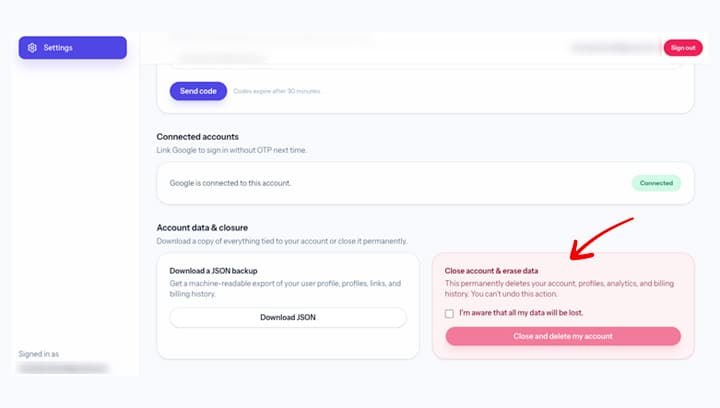
- Start with Close account from your settings.
- Choose Close account & erase data.
- This permanently deletes your account, profiles, analytics, and billing history. You can't undo this action.
Screenshot
Notes
- Deletion requests are verified for account security.
- Some records may be retained where required by law.
If you have questions, email support@kalvo.app.