
Billing
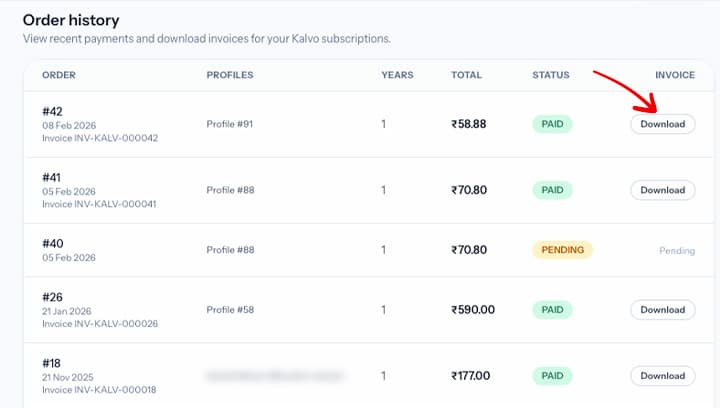
Download your invoice
Access past invoices from the billing area any time.
Step-by-step
- Open the billing page from your dashboard.
- Scroll down to see the Order table.
- Download or print the invoice for your records.
Screenshot
Tips
- Use the latest invoice for reimbursement and tax filings.
- If you cannot see an invoice, confirm the payment was successful.
Need help? Email support@kalvo.app.